
Pinterest Affiliate Marketing has a lot of potential in 2024. There are 460+ million users actively using Pinterest every month. Mainly used for ideas, Pinterest has also become an affiliate marketing hub.
In this article, I’ll show you how you can generate a steady stream of passive income using Pinterest. You’ll also find out why Pinterest could be your next go-to platform for affiliate marketing. And you’ll follow simple steps to understand the whole game.
What is Pinterest?
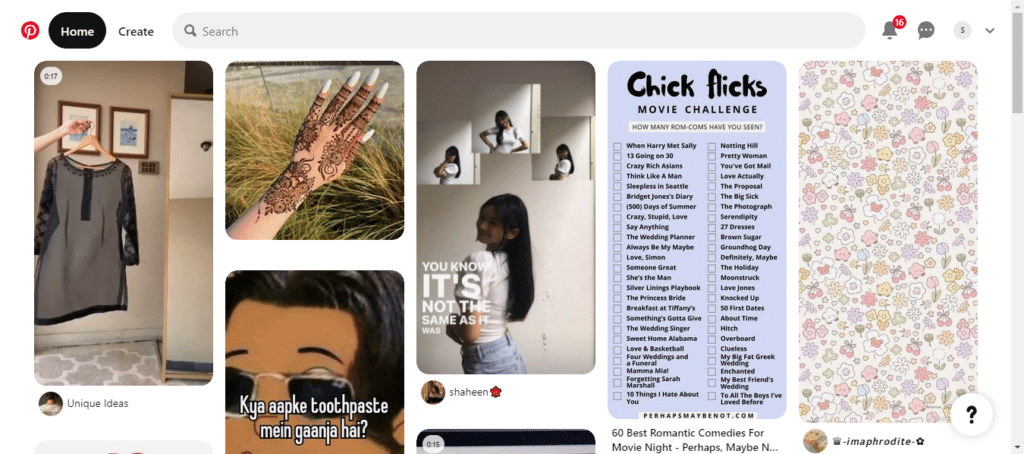
Pinterest is a search engine and social media platform where people look for ideas and inspiration. This platform has ideas about anything you need. From your outfit inspiration to home decor ideas, Pinterest has got you all covered.
But how can a platform for good ideas handle marketing or affiliate marketing? Well, looking at it from one perspective, Pinterest Affiliate Marketing does look like an aesthetic photo booth, but there’s a lot more going on other than its eye-catching visuals and graphics.
What Is Pinterest Affiliate Marketing?
Pinterest Affiliate Marketing simply means getting people to click on the link you add on a pin. A pin is an image you post on Pinterest. You can add external links to this post and drive traffic to your:
- Landing page
- Blog
- Youtube
- Sales Page
The CTR (click-through rate) is analyzed, and you get paid based on how many clicks or sales you made(depending on what you and your affiliate partner decided beforehand).
Why Choose Pinterest Affiliate Marketing
These are a few reasons why Pinterest Affiliate Marketing is a smart choice for selling others’ products and generating passive income.
- Pinterest stats say that over 89% of Pinterest users open the app to buy and to get inspiration.
- 41% of US pinners have their yearly income anywhere between ~$75,000 to ~$100,000. And that makes Pinterest a buyer-concentrated platform.
- Pinterest posts aka pins have longer life spans. People have reported traffic to their 2-3-year-old links too.
Ultimate Guide To Start Pinterest Affiliate Marketing
Since you’ve got the background knowledge now, let’s move on to the quick steps by which you can become the next successful Pinterest Affiliate Marketer.
1. Optimize Your Pinterest Account
The first step is to optimize your Pinterest account by turning it into a business account. You can access more features like analytics, etc., by switching your existing profile to business mode or by creating a brand new profile. or create new resources for Pinterest Affiliate Marketing
Once you create your business account, optimize your name, profile picture, and bio. Understand SEO basics to drive the right traffic to your profile.
2. Create Relevant Boards
Boards on Pinterest can be used to put pins of the same category under one board. Broadly speaking, boards are the subsections that come under your main niche. For example, if you sell home decor products, your boards can be “Bathroom decor”, “Bedroom decor”, and so on.
When you’re done creating your boards, you can start putting your pins on them in relevant categories.
3. Network Network Network
You can’t survive as a lone wolf in the marketing world. Go follow people with similar niches and interests as yours and engage with them. You can put comments on their pins, share their pins, save their pins, and so on to make them notice you.
Also, when some of your followers comment on your pin, don’t ignore them. Replying to comments will increase your chances of building meaningful relationships with your audience. Your followers will also trust you more and see you as a real person when you engage with them.
4. Enable Rich Pins
If you have a website or another social media account, you can connect that with your Pinterest account and enable rich pins.
Rich pins are simply rich in the description of a product. You can put the extra details all in a rich pin so that your audience has all they need to know about your pin. If you’re selling a cookbook, you can add the name of the author, price, number of recipes, and other relevant info in this area.
5. Pin To Group Boards
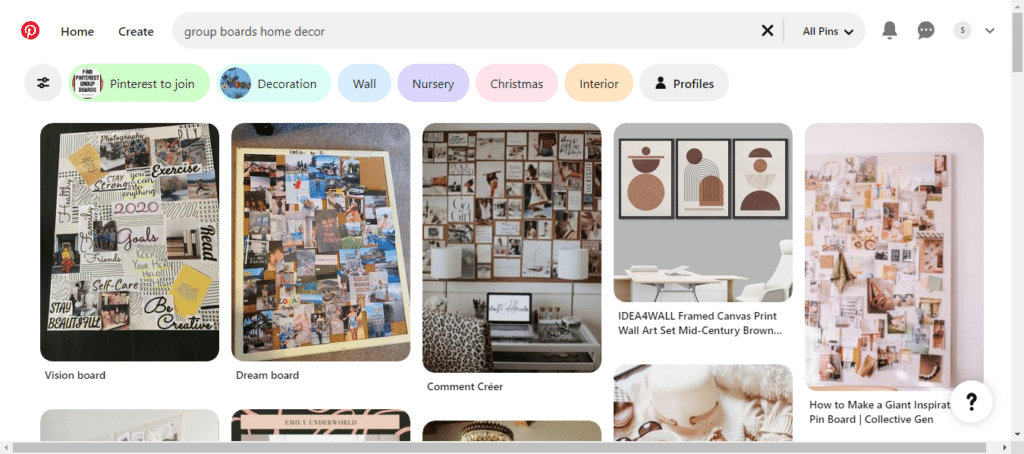
You don’t have to be limited to your profile on Pinterest. You can always go join the group boards and add your pins to them. The key point is again to be mindful of your relevant keywords.
As I said earlier, Pinterest is a search engine, and like many other search engines, it shows results based on search intent. Group boards let multiple creators pin to one board. You can get benefits like better reach and support from fellow creators. To join a board, read the guidelines given in its description box. You might have to follow the creator of the group boards to start posting there.
6. Check Your Analytics
When you use a business account on Pinterest, you’ll be able to see your analytics over time. Analyze them every 2-3 weeks. There are a few things to keep track of:
- Which pins performed the best?
- What was the difference between the best and worst-performing pins?
- What were the top topics of interest?
Once you have the stats, double down on the things that get you more traffic and the topics that interest your audience. This is how you’ll skyrocket your growth.
7. Start Pitching
When you see some growth in your account, start reaching out to brands and product owners. These brands should align with your niche and values. There can be two types of affiliate opportunities you want to get. Individual and Group Affiliate Programs.
Product owners them selves handle individual affiliate programs, and you’ll have to contact them through their email on the website or their social media. On the other hand, affiliate networks require you to sign up for their network and only then connect you with relevant people. Some popular affiliate networks are Printify Affiliates, Pinterest Affiliate Marketing ShareASale, and Awin.
No matter what way you choose, you’ll have to pitch with a solid portfolio. These are the things you need to add to your portfolio:
- Pinterest Profile
- Key insights (top performing pins)
- Past affiliates (if you have any)
- Sample content
8. Add Affiliate Links To Your Pins
After setting the terms and conditions for your affiliate marketing, start adding pins. There’s no hard and fast rule for the number of pins in one post.
However, having more pins with affiliate links can only increase your chances of being seen. You can add the link to each pin. Every pin has to be of high quality. If you’re a Pinterest user, you already know there’s no compromise on the quality of graphics on that platform. What’s more, all the good photos are called “Pinterest worthy” in slang.
So you get the idea, create high-quality images and post one link with one pin. To create good photos, use Canva or InkScapeand learn some basic graphic designing. That will be all you need to do.
9. Disclose Your Links
Whenever you upload an affiliate post, let them know it’s sponsored. As per the Federal Trade Commission, if you don’t disclose your affiliate links, you will be fined. And that’s not all, your account can get blocked too.
Imagine seeing all the work you put into going down the drain just because you were being a little greedy. Don’t do that.
The simplest way to let your audience know about an affiliate link is to put a hashtag. You can say anything like #sponsored, #affiliate, etc. The purpose of this disclosure is to help your audience make informed decisions.
10. Say No To Link Cloaking
Many people try to shorten their links by using different tools like Bit.ly or Pretty links. These tools shorten the length of the URL and hence your audience can’t see where the link would take them.
This hiding is too shady for Pinterest and its users. So if you get caught using such tools, you’ll have to face a hard time. Go through Pinterest advertising guidelines to make sure you don’t do anything that is bad for the future of your account. Instead, use the URL as it is and save yourself from the trouble.

11. Automate Your Posts
The aesthetic sense of Pinterest does keep the viewers hooked, but creating those pins can be equally hectic and frustrating. If you’re a graphic designer or have some experience in visuals, you must know how hard it can be sometimes to create jaw-dropping pins.
Also, when you’re a successful affiliate, you have a lot more on your plate and less time for creating eye-catching pins. That’s why it’s really important to automate all that you can and give more time to what needs your immediate attention. You can automate your Pinterest posts or add Pinterest Affiliate Marketing by using tools like Tailwind and Buffer. These tools help you not only with creating pins but also scheduling them so that you’re always ahead of time.
11.1 Tailwind
Tailwind is one of the best marketing tools ever created. It is specifically designed for Pinterest and is approved by Pinterest too. There are a lot of cool features in Tailwind, like creating and scheduling pins, analyzing the performance of your pins, an exclusive landing page, and hashtag search too!
If you’re serious about Pinterest Affiliate Marketing, you should have Tailwind. You can avail of the free trial offered by Tailwind that allows you to create 100 pins, and if you think you like it, just upgrade your plan.
11.2 Buffer
Buffer is another marketing tool used for creating and scheduling content. Although Buffer isn’t limited to Pinterest Affiliate Marketing and supports other social media platforms too, you can avail many goodies once you buy it.
Buffer comes with an amazing dashboard that shows you pin performance and lets you make changes in posts accordingly. Not just that, Buffer has an extension by which you can save and directly schedule any image from any website to Pinterest.
12. Build an Email List – Take Pinterest Affiliate Marketing to the Next Level
Email is the king. I always keep saying that social media audiences are rented, while your email list is like family. Email lists aren’t just a backup option, but also a very smart way to generate extra revenue. But how to create one from Pinterest?
You have to engage your audience with a freebie or giveaway. And when they sign up for the free goodies, you take their emails. Your email list will then become a concentrated list of potential buyers who are interested in your product. So even when Pinterest sucks(like all social media platforms do sometimes), you’ll have your own nurtured list. You’ll build relationships with your audience and warm them up so they’re ready to buy more from you.
3 Most Important Tips To Earn On Pinterest
- Always keep up with the trends. See what’s going on in your niche and what’s getting viral. Create content around trendy topics and ideas to get more eyeballs.
- Never compromise on SEO. Use the Pinterest search bar yourself and be on the lookout for relevant keywords and hashtags.
- Test, test, and test. Test affiliate links on different pins and analyze which pins perform the best. Double down on the best-performing pin and start getting better results.
Frequently Asked Questions (FAQs)
Can I earn from Pinterest?
Will Pinterest pay me for Affiliate Marketing?
How much does a Pinterest Business Profile cost?
How to share affiliate links on Pinterest?
Can I create my own pins for affiliate marketing?
Pinterest Affiliate Marketing isn’t that difficult once you get the hang of it. You might be confused at the start, but after you see some growth and revenue, it’ll become fun.
The only things to remember are creating high-quality pins, pinning to relevant boards, keeping your SEO game on, and not doing anything that makes Pinterest angry (link cloaking).